Run your staffing agency from one platform.
Manage candidates, client orders, schedules, attendance, timesheets, invoicing and payroll exports in one connected platform, built for staffing agencies.
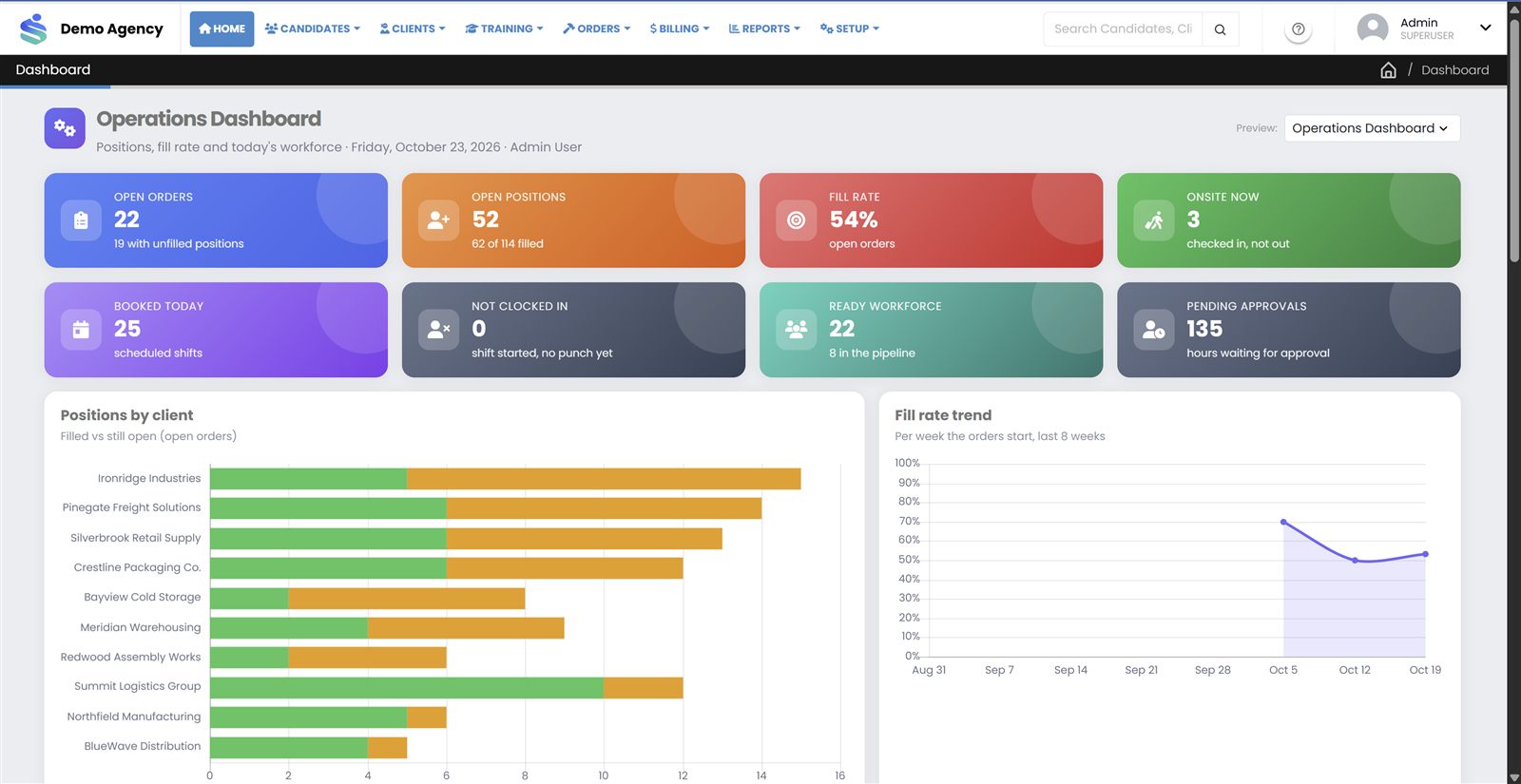
StaffVanta operations dashboard (sample data)
Move beyond spreadsheets, email and disconnected tools
Each of these problems has a matching part of StaffVanta.
Candidate spreadsheets
Candidate details, documents and availability end up scattered across files.
With StaffVanta: Keep profiles, eligible roles, documents and availability in one candidate record.
Manual shift assignments
Double-bookings and missed conflicts are easy when schedules live in someone's head.
With StaffVanta: Assign candidates to orders with availability and scheduling-conflict checks.
Scattered attendance records
Hours arrive by text, paper and email.
With StaffVanta: Record attendance in one place through manual entry or supported clock-in devices.
Slow timesheet approvals
Corrections and approvals drag on and delay billing.
With StaffVanta: Review attendance and approve hours before they reach invoices and payroll.
Manual invoice preparation
Rebuilding invoices by hand costs time and invites disputes.
With StaffVanta: Generate client invoices from approved hours, with PDF output and your branding.
Limited visibility
It is hard to see what is filled, what is late and who has not paid.
With StaffVanta: Track order fulfillment, attendance and outstanding payments in reports and dashboards.
One system for the whole staffing workflow
Manage your staffing operations in one place.
Candidate Management
Profiles, spreadsheet import, documents, custom fields, availability and time-off requests.
Client Management
Clients, sites, contacts, departments, roles and client-specific rates.
Orders and Scheduling
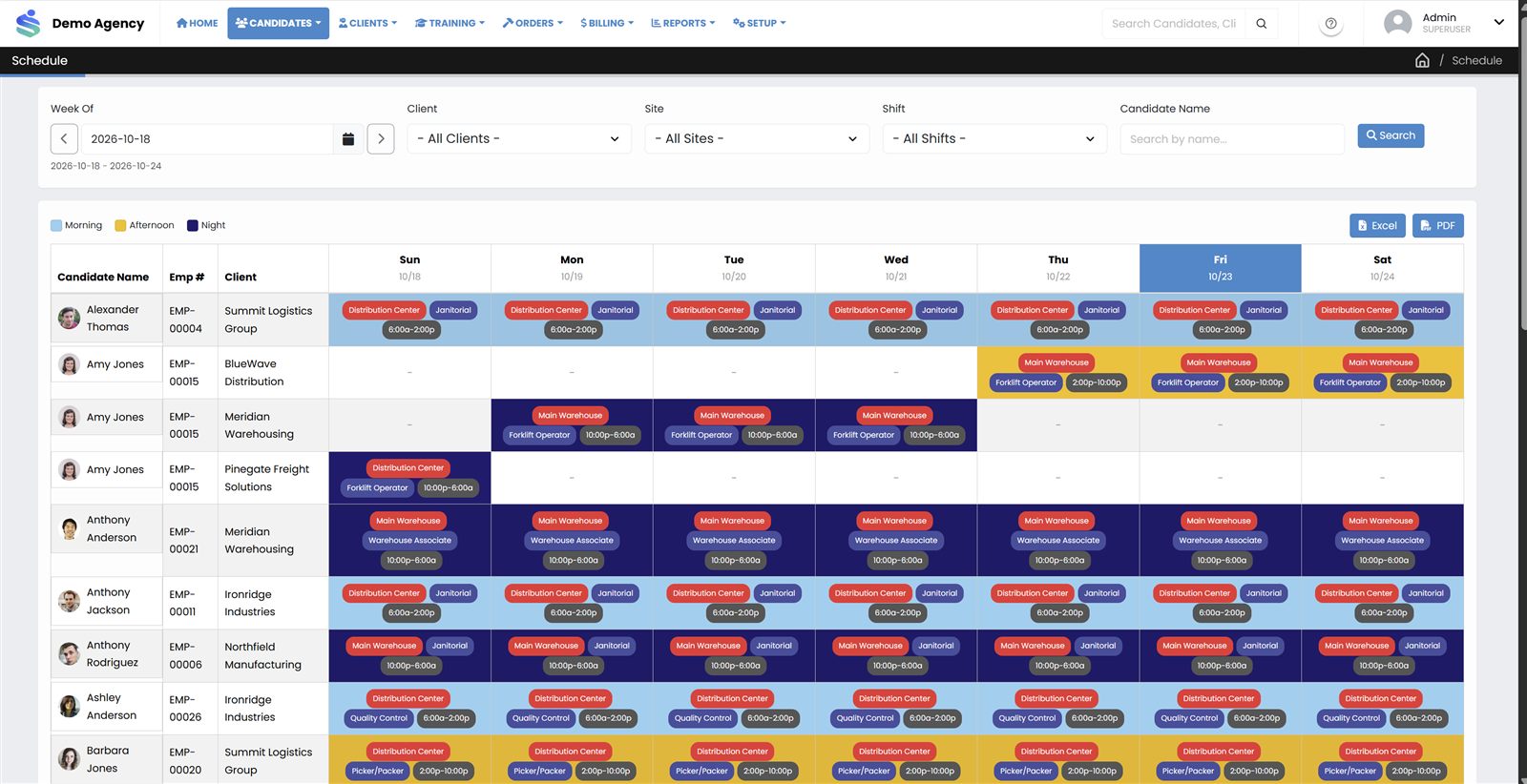
Multi-line orders, open and closed tracking, a schedule calendar and conflict checks.
Attendance and Time Tracking
Manual entry, supported device punches, late and absent tracking.
Timesheets and Approvals
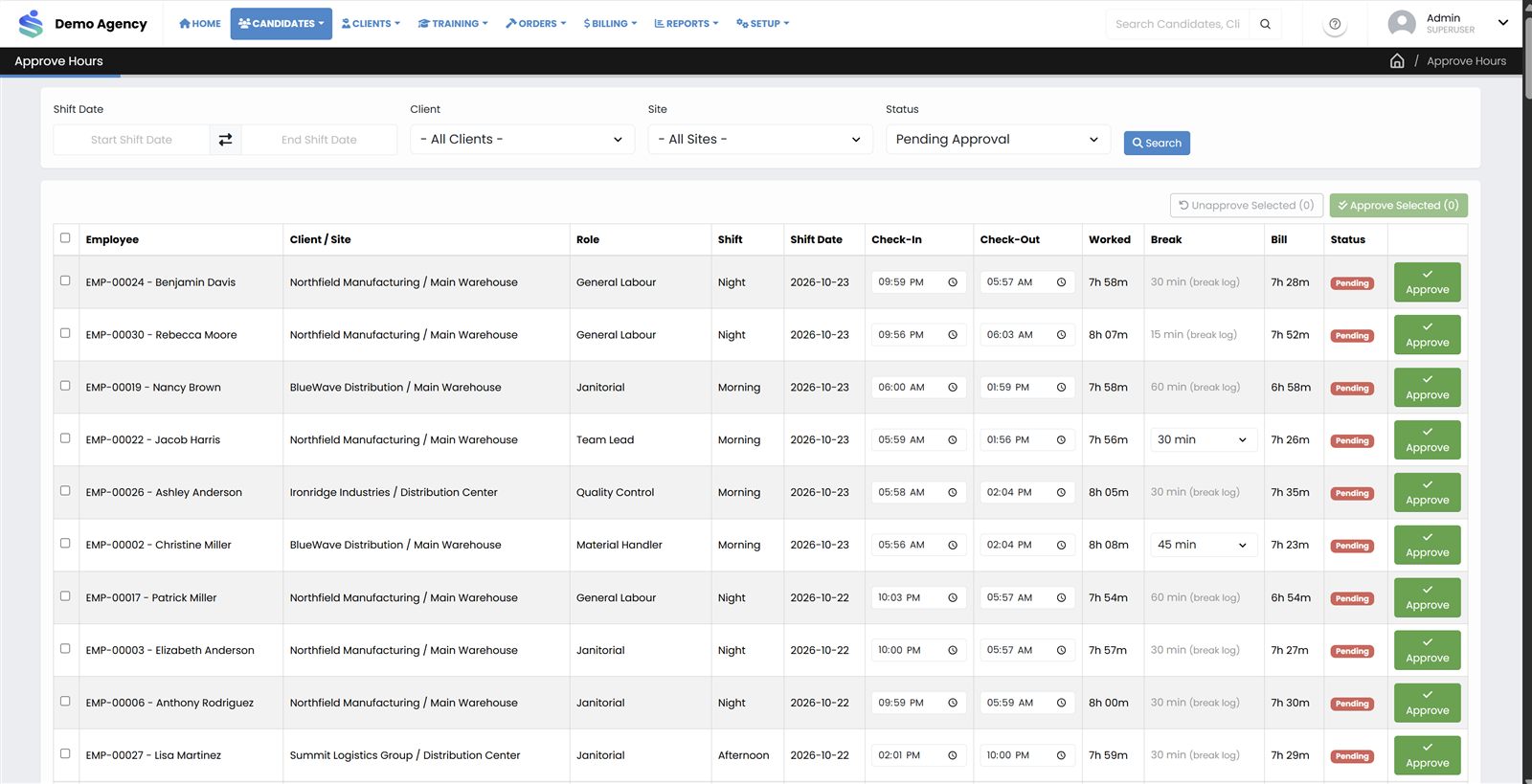
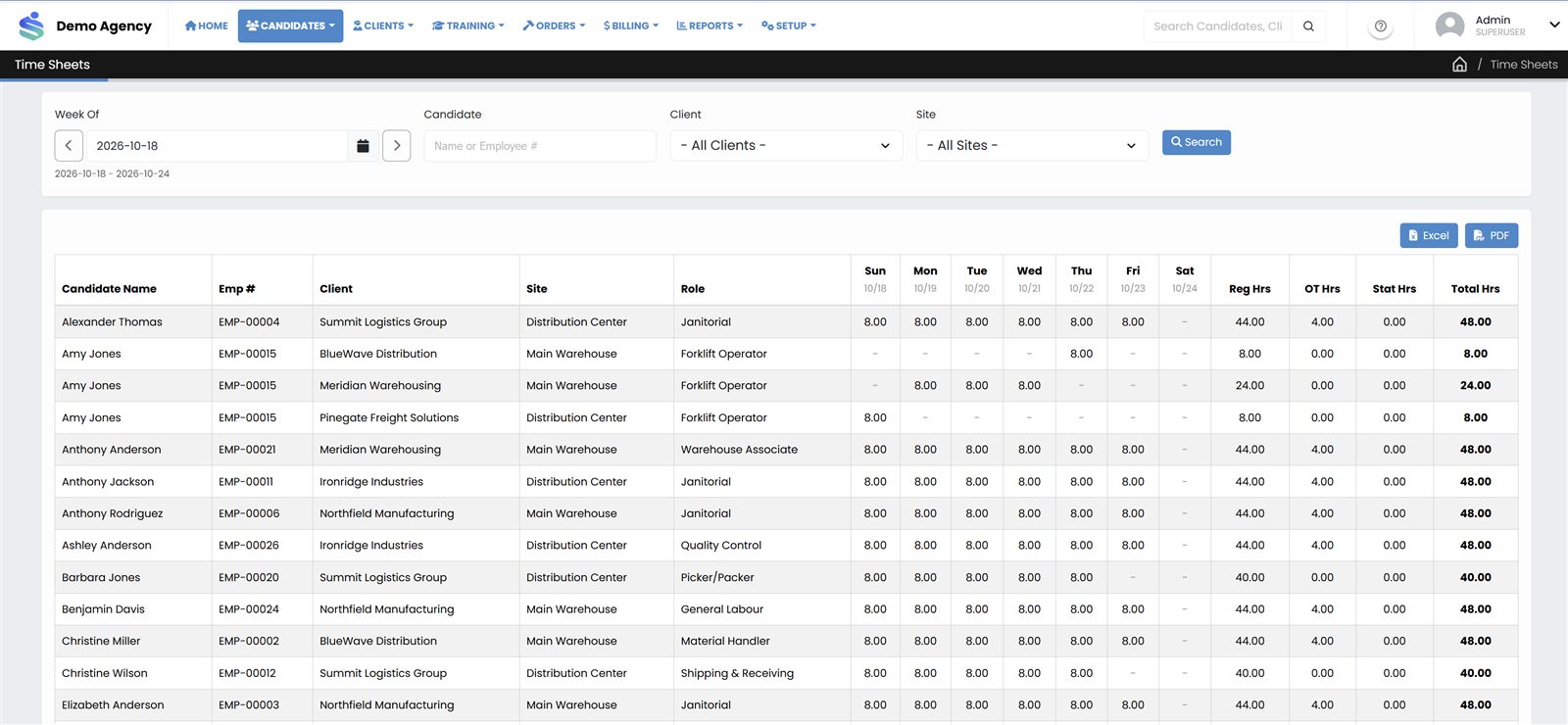
Review and approve hours before they are invoiced or paid.
Client Billing and Invoicing
Turn approved hours into invoices, record receipts and apply payments.
Payroll Export
Payroll processing and export with earning codes (Growth plan).
Training and Compliance Support
Courses, assignments, certificates and a training dashboard (Growth plan).
Candidate and Client Portals
Self-service access for candidates and for client users.
Reporting and Dashboards
Attendance, fulfillment, billing and outstanding-payment reporting.
From candidate registration to reporting
The same approved hours feed your invoices, your payroll export and your reports.
-
1
Register candidates
Build candidate profiles with roles, documents and availability, or import them from a spreadsheet.
-
2
Receive client orders
Enter orders with role lines, quantities, dates and shift times.
-
3
Schedule workers
Assign candidates to orders, with availability and conflict checks.
-
4
Record attendance
Capture attendance through manual entry or supported clock-in devices.
-
5
Approve hours
Review attendance and approve the hours that will be billed and paid.
-
6
Invoice and export payroll
Generate client invoices from approved hours and export payroll data.
-
7
Review reports
See attendance, fulfillment, client billing and outstanding payments.
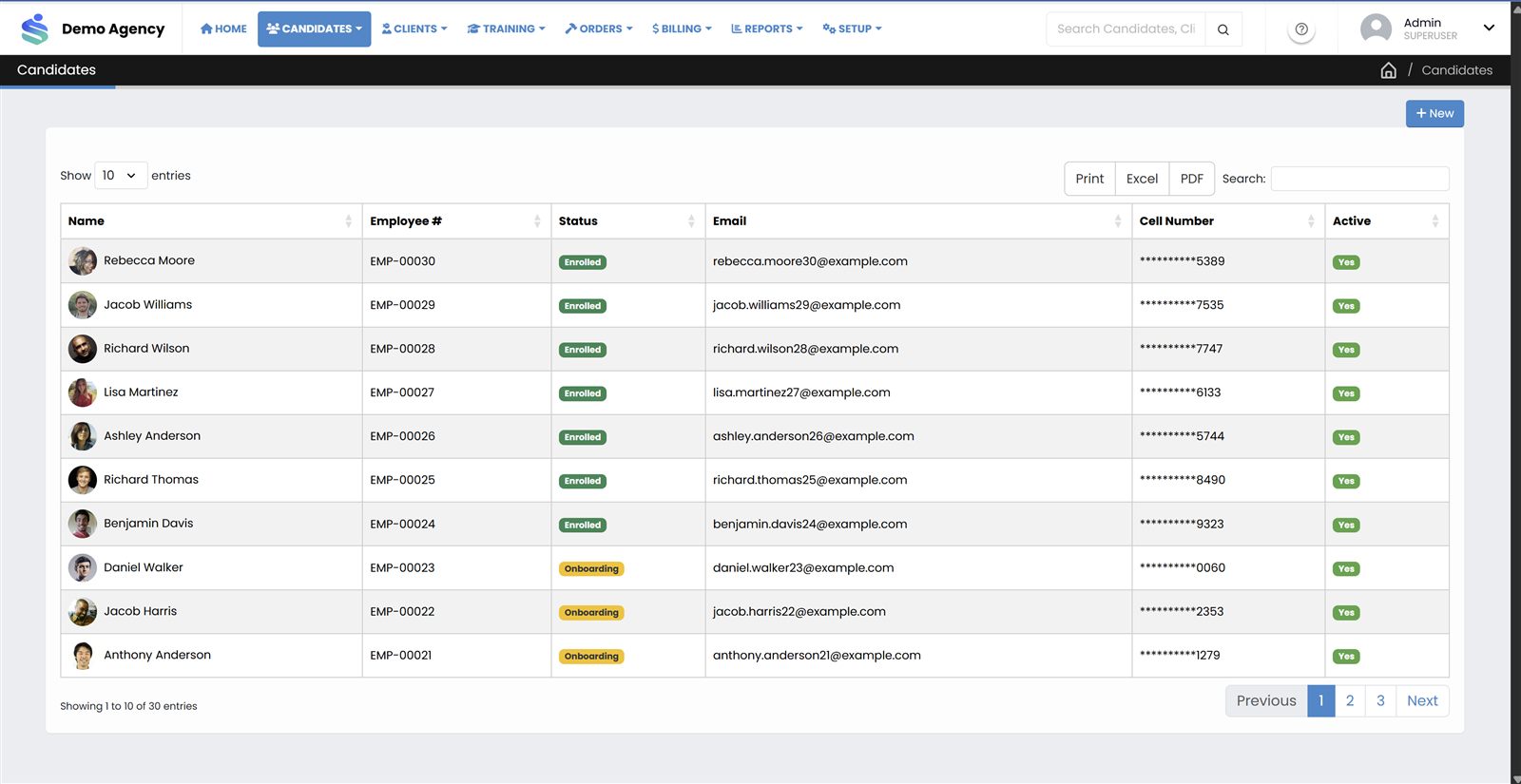
See the day-to-day screens
Screenshots use sample data from a demo agency.
Useful to everyone who touches an order
Agency owners and managers
Understand fulfillment, utilization and outstanding payments without chasing people for numbers.
Staffing coordinators
Fill client orders with better visibility into candidate availability, and fewer scheduling conflicts.
Finance and billing teams
Turn approved hours into client invoices, record payments and review balances.
Candidates
Use a self-service portal for the functions your agency enables, including availability and time-off requests.
Client supervisors and managers
Access the information your agency makes available to them through the client portal (Growth plan).
Candidate self-service
Candidates can sign in to a portal, including PIN login, to use supported self-service functions such as managing availability and submitting time-off requests. Your agency decides what is enabled. Available on every plan.
Client access
Client users can sign in to see the information your agency makes available to them, with access limited to their own company. The client portal is part of the Growth plan and above.
The right people see the right information
Staffing agencies handle personal and commercial information. StaffVanta is designed around separation and permissions.
- Separate agency data. Each agency has its own company code and isolated data.
- Role-based permissions. Users, roles and page-level permissions, with menus controlled by role.
- Client-specific access. Client users can be restricted to the information intended for them.
- Audit trail. Audit logging is available on the Growth plan, where configured.
Every agency’s security requirements are different. If you have specific questions about access control, or about single sign-on, ask us during your demo and we will tell you what is supported today.
Three plans, sized by candidate volume
Monthly pricing in US dollars. Starter fits smaller agencies; Growth adds advanced capabilities for agencies with larger candidate pools.
Starter
Everything you need to organize your staffing operations.
Up to 1,000 candidates
Book a Demo- Candidate profiles, spreadsheet import, documents and availability
- Client records, sites, departments, roles and client-specific rates
- Client orders with multiple role lines, plus a schedule calendar and conflict checks
- Manual attendance, supported device punches, hour approval and timesheets
- Invoices from approved hours with PDF output, receipts and payment application
- Basic attendance, schedule, fulfillment and client billing reports
- Candidate self-service portal, users, roles and permissions
Growth
More control, automation and visibility as your agency grows.
Up to 3,000 candidates
Book a Demo- Everything in Starter
- Bulk candidate updates and facial-recognition enrollment and verification*
- Client portal, detailed rate grids and overtime and holiday multipliers
- Device management, event logs and configurable attendance and break rules
- Client account statements, balances, invoice aging and additional invoice types
- Payroll processing and payroll export with earning codes
- Training management and certificates, plus SMS messaging with templates*
- Candidate utilization, turnover, outstanding payments and configurable dashboards
- Audit trail, where configured
Enterprise
Staffing operations tailored to your organization's scale and requirements.
Limits agreed for your agency
Request an Enterprise Quote- Everything in Growth, subject to product capability and commercial confirmation
- Candidate capacity beyond the Growth limit
- Tailored plan limits and commercial terms
- Review of advanced role, permission and audit requirements
- Review of single sign-on options supported by the product
- Deployment, onboarding and integration requirements assessed with you
* SMS messaging and facial-recognition services depend on external providers and the capabilities of the deployed environment, and may carry separate costs. Prices are in US dollars, billed monthly.
Common questions
What type of staffing agency is StaffVanta designed for?
StaffVanta is built for agencies that supply temporary and contract workers to client companies. It is aimed first at small and medium-sized agencies in North America that are managing candidates, orders, schedules, attendance and invoicing in spreadsheets and email, and it also suits larger agencies that want one place to manage the whole workflow.
What is included in each plan?
Starter covers the core end-to-end workflow: candidates, clients, orders, scheduling, attendance, timesheets and invoicing. Growth adds advanced candidate and attendance tools, client account statements, payroll export, training, SMS and expanded reporting. Enterprise is quoted individually. See the pricing page for the full comparison.
How are candidate limits calculated?
Starter supports up to 1,000 candidates and Growth up to 3,000. We will confirm exactly how candidates are counted against your plan, and what happens as you approach a limit, during your demo.
Can candidates and clients access their own portals?
Yes. Candidates can use a self-service portal, including PIN login, for the functions your agency enables. Client users can access the information made available to them, and the client portal is part of the Growth plan.
Does StaffVanta support facial-recognition attendance?
Facial-recognition enrollment, verification and clock-in are available on the Growth plan and above. They depend on the capabilities and configuration of the environment where StaffVanta is deployed, so we will confirm what is supported for your setup during your demo.
Can StaffVanta generate invoices from approved hours?
Yes. Once hours are approved, StaffVanta generates client invoices from them, with PDF output and your company branding. Receipts and payment application are included on every plan.
Does StaffVanta provide payroll processing or payroll exports?
Payroll processing and payroll export with earning codes are included in the Growth plan. We do not currently state support for any specific payroll provider; ask us during your demo about your payroll process.
Are SMS and third-party service charges included?
Not necessarily. SMS messaging and facial-recognition services can depend on external providers and may carry separate costs. We will confirm what applies to your agency before you commit.
How do Enterprise plans work?
Enterprise is for larger agencies or those with more complex requirements. Limits, scope and pricing are agreed with you after we understand what you need, so request a quote and we will start the conversation.
How can an agency arrange a demonstration?
Use the Book a Demo form and tell us roughly how many candidates you manage. We will follow up to arrange a walkthrough.
See StaffVanta with your own workflow
Tell us how you work today and we will show you how it would run in StaffVanta.
Book a Demo