Staffing agency software organized around your workflow
StaffVanta follows the way agencies actually work: candidates, clients, orders, scheduling, attendance, billing and reporting, all reading from the same records.
Keep every candidate in one organized record
Replace candidate spreadsheets with profiles your whole team can search and trust.
- Fewer places to look when you need to fill an order.
- Documents and availability sit beside the candidate, not in an inbox.
- Import an existing spreadsheet instead of retyping it.
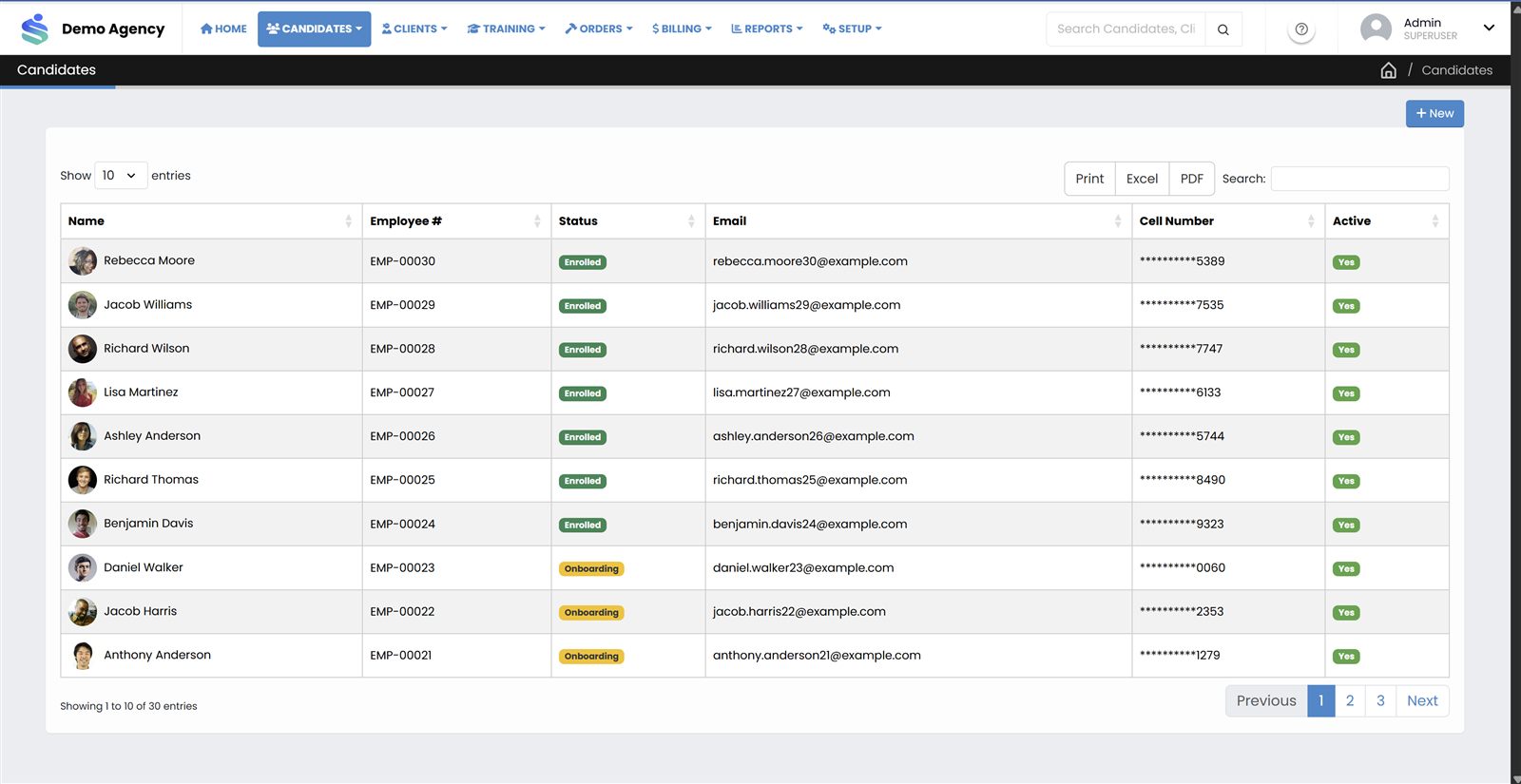
- Profiles and contact informationStarter
- Spreadsheet importStarter
- Eligible roles and status managementStarter
- Custom fields and documentsStarter
- Availability and time-off requestsStarter
- Deleted-candidate reviewStarter
- Bulk updates, including eligible rolesGrowth
- Facial-recognition enrollment and verification*Growth
Know each client's sites, roles and rates
Store how each client works so orders and invoices start from the right information.
- Client-specific rates apply when you bill.
- Restrict client users to what they should see.
- Give clients their own view through the client portal.
- Client records, contacts, sites and departmentsStarter
- Client roles and positionsStarter
- Client-specific ratesStarter
- Basic client user access and restrictionsStarter
- Client portal accessGrowth
- Detailed rate grids and formulas (overtime, holiday multipliers)Growth
- More granular client-specific accessGrowth
Fill orders with fewer conflicts
Turn a client request into assigned candidates and see what is still open.
- Enter orders with several role lines, dates, quantities and shift times.
- Assignments update the order status as it fills.
- Check availability and conflicts before confirming.
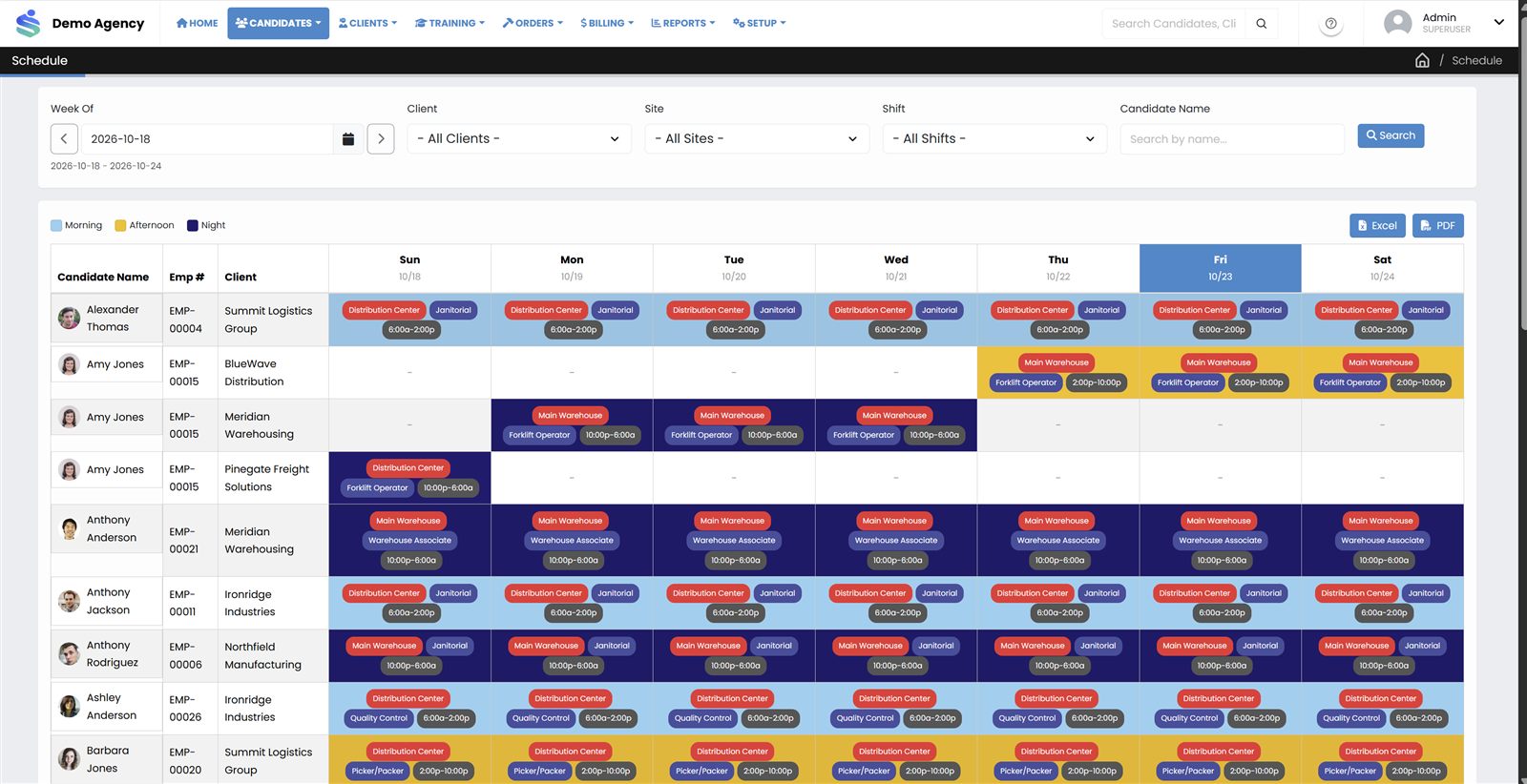
- Orders with multiple role lines and shift timesStarter
- Open, closed and all-order viewsStarter
- Assignment quantity controlsStarter
- Schedule calendar and assignment overviewStarter
- Availability and conflict checksStarter
Get attendance and hours into one reviewable place
Capture who worked and when, then review before anything is billed or paid.
- Record attendance manually or through supported devices.
- Track late and absent candidates.
- Approve hours so invoices are built on settled numbers.
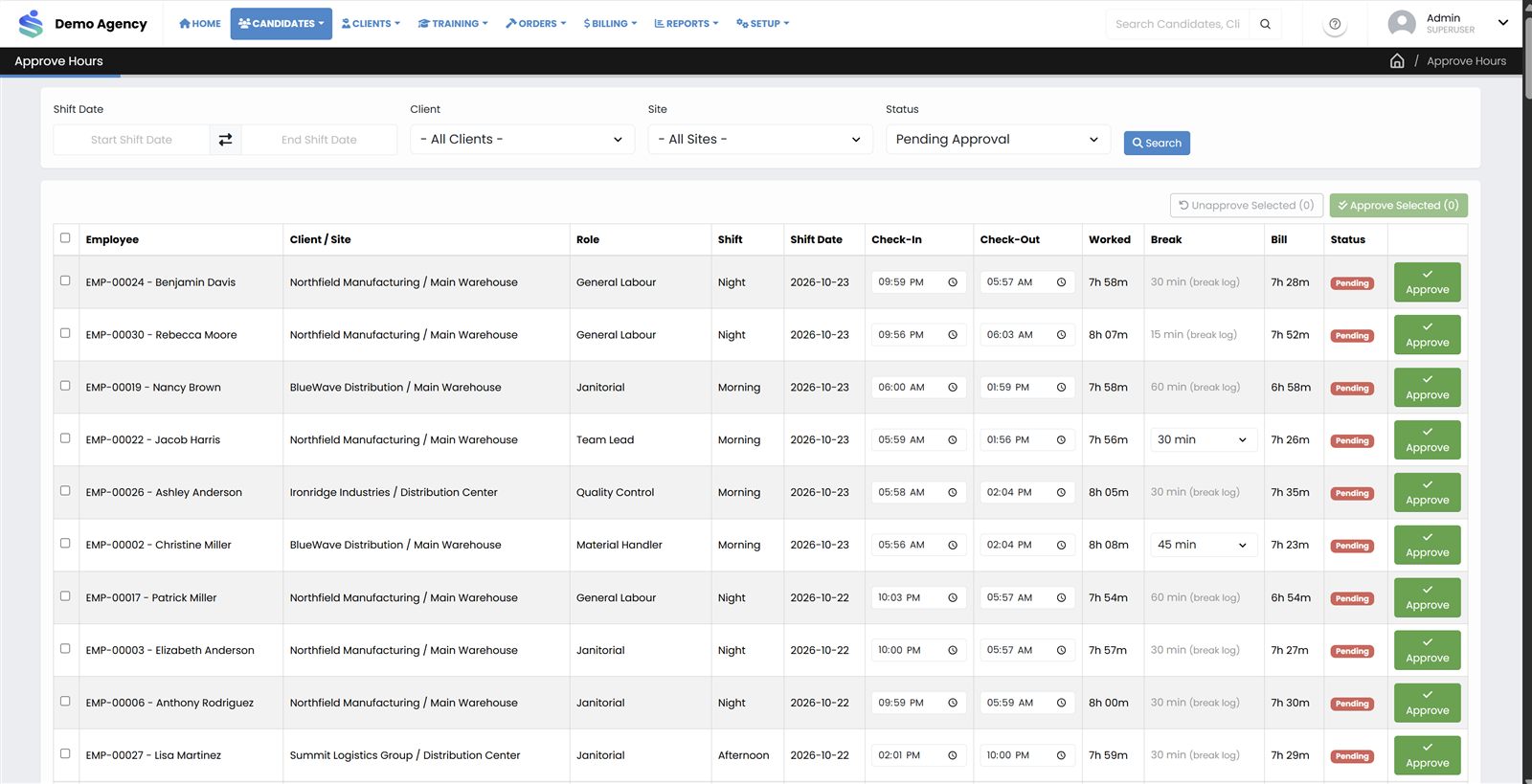
- Manual attendance entryStarter
- Supported device clock punches and punch importStarter
- Hour approval and timesheet reviewStarter
- Late and absent trackingStarter
- Device management and event logsGrowth
- Facial-recognition clock-in*Growth
- Configurable attendance, break, late and absent rulesGrowth
Turn approved hours into invoices and payroll exports
Bill from the hours you approved, then keep track of what has been paid.
- Invoices are generated from approved hours.
- Your company logo and address appear on invoice PDFs.
- Statements show balances and ageing at a glance (Growth).
- Invoices from approved hours with PDF outputStarter
- Company logo and address on invoicesStarter
- Receipts and payment applicationStarter
- Additional invoice typesGrowth
- Additional charges, fees and adjustmentsGrowth
- Client statements, running and outstanding balances, ageing, PDF exportGrowth
- Payroll processing and export with earning codesGrowth
Support training and reach candidates directly
Assign courses, track completion and message candidates from the same system.
- Internal and external courses with assignments and certificates.
- Reusable SMS templates and scheduled messages.
- Portal invitation emails to get people signed in.
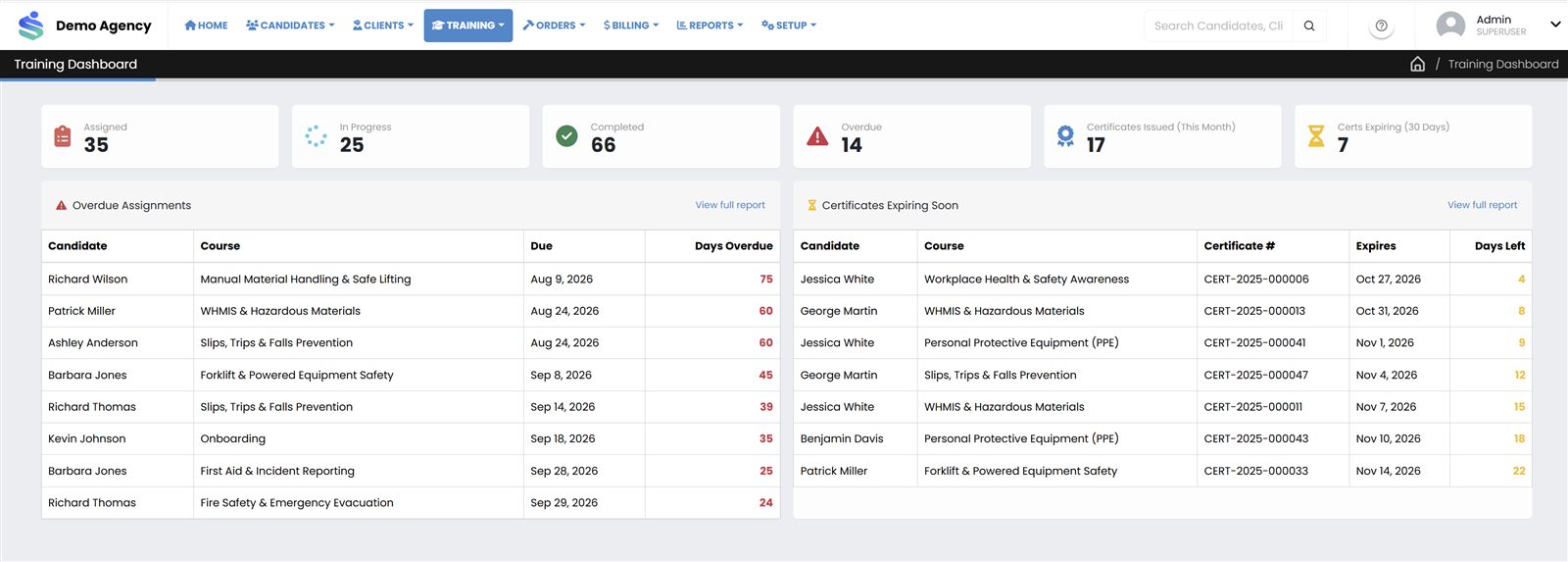
- Training courses, assignments, dashboard and reportsGrowth
- CertificatesGrowth
- Multilingual training content (where supported)Growth
- SMS messaging, templates, scheduling and logs*Growth
- Portal invitation emailsGrowth
See the whole operation, and control who sees what
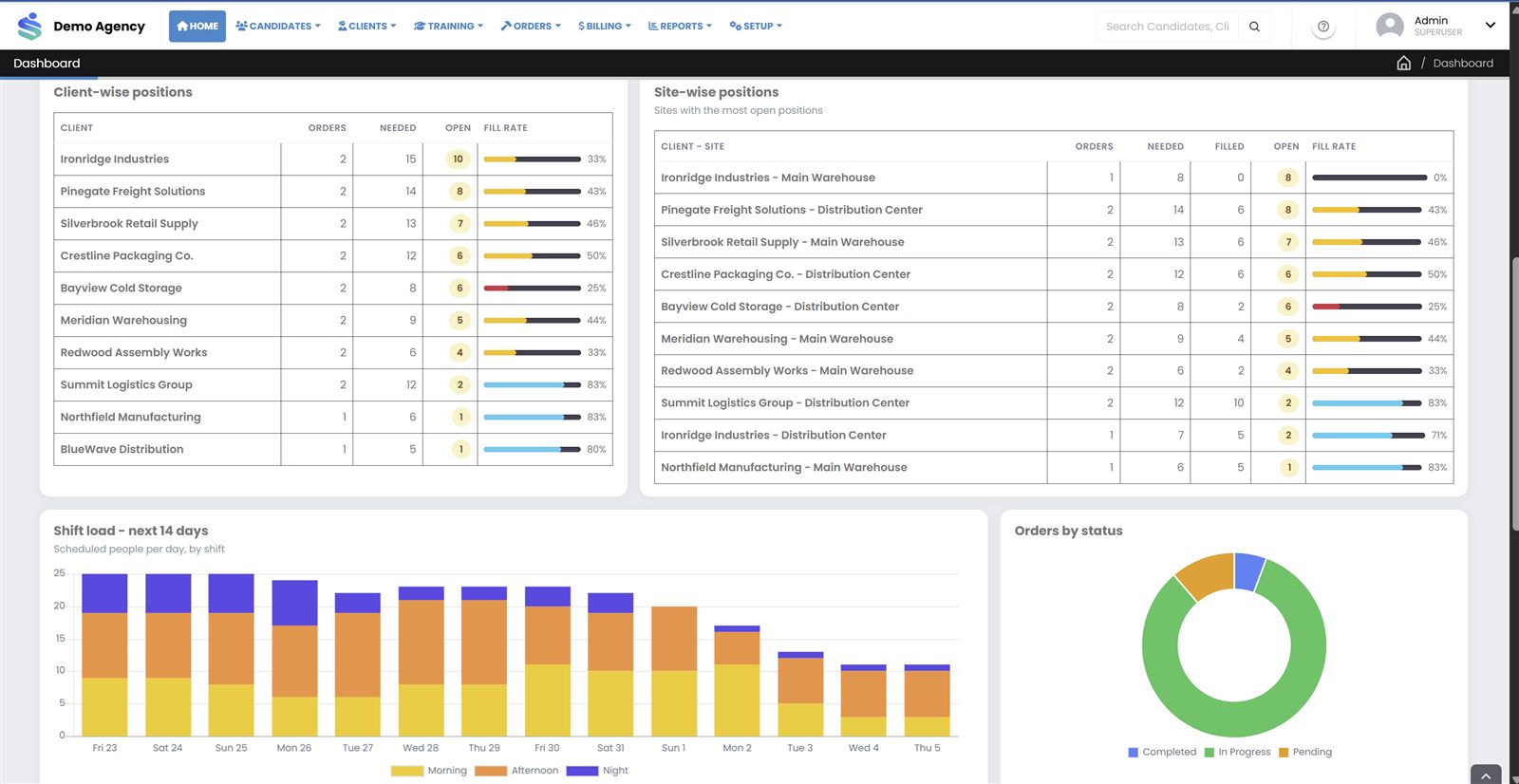
Reports and dashboards for the questions owners and managers ask every week.
- Fulfillment and billing reports on every plan.
- Utilization, turnover and outstanding payments on Growth.
- Users, roles and page-level permissions keep access appropriate.
- Attendance, schedule, fulfillment and client billing reportsStarter
- Company profile, users, roles and permissionsStarter
- Role-controlled menus and agency-specific company codeStarter
- Built-in help documentation (where available)Starter
- Candidate utilization, turnover and outstanding payments reportsGrowth
- Configurable dashboards, summary tiles and chartsGrowth
- Audit trail and audit logs (where configured)Growth
- Scheduled background jobs (where supported)Growth
Screenshots show sample data from a demo agency. Starter capabilities are also included in Growth and Enterprise. * Facial recognition and SMS depend on external providers and the capabilities of the deployed environment, and may carry separate costs. Enterprise adds items assessed individually, such as capacity, permissions and single sign-on options.
Want to see it on your own workflow?
Book a demo and we will walk through candidates, orders, attendance and invoicing together.
Book a Demo